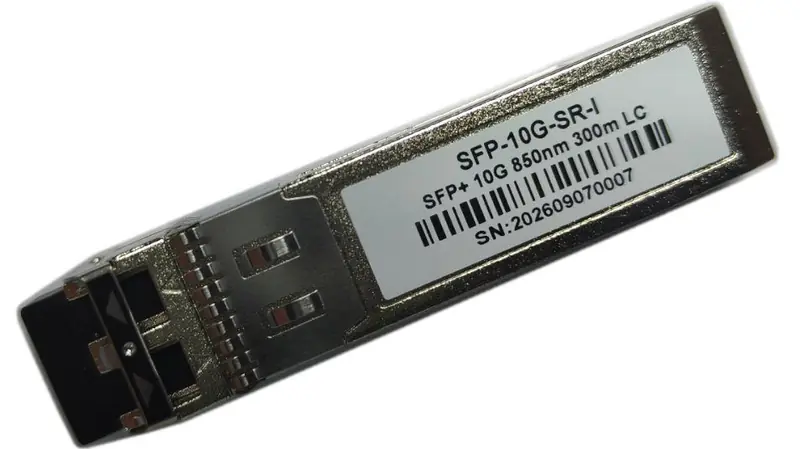
Digital diagnostics monitoring is built into nearly every modern transceiver, yet it is rarely checked before a shipment is accepted. Five numbers tell you most of what you need to know: temperature, voltage, bias current, Tx power and Rx power.
Nearly every transceiver shipped today supports digital diagnostics monitoring, known as DDM or DOM depending on which document you read. The host device can poll five live values from the module: temperature, supply voltage, laser bias current, transmitted optical power and received optical power. Most buyers never look at them, which is a shame, because they are the cheapest quality check available.
The five values and what they mean
- Temperature — the module's own internal reading. A healthy module in a well-ventilated port typically sits 10-25 °C above ambient. A reading that keeps climbing while traffic is flat usually points to an airflow problem in the rack, not a defective module.
- Supply voltage — should stay close to 3.3 V. A value drifting below roughly 3.1 V suggests a host port problem rather than a module problem.
- Bias current — the current driving the laser. It rises gradually as a laser ages, so a new module should read near the middle of its specified range. A reading already at the upper limit on day one is worth questioning.
- Tx power — the optical power the module puts onto the fiber. Compare it against the specification for that exact part number. Too high can be as bad as too low on short-reach links.
- Rx power — what the module sees from the far end. This is the number that tells you about the fiber plant: a low Rx power usually means dirty connectors, excessive span loss or a mismatched reach, not a bad module.
A practical acceptance routine
Plug the module in, bring the link up, then poll the diagnostics after ten minutes and again after an hour. What you are looking for is stability: values that sit still within their specified range. A module that behaves well when cold and drifts once it warms up is the one that would have failed in month three.
Clean the connectors before you measure. Contaminated end faces account for a large share of the optical power problems reported as module faults, and they cost nothing to rule out.
Why this matters when sourcing
Any supplier can ship a module that links up on the bench. Diagnostics let you see past the link light and judge whether it will still be within specification after a summer in a poorly ventilated cabinet. It takes five minutes per module and it is the single most useful test you can run before signing off a shipment.
If you want the diagnostics specification for a specific part number, send us the model and we will send the expected ranges with the quotation.
Questions about this topic?
Send us the equipment model and the link requirements you are working with — our engineering team will recommend the matching configuration.
Request technical advice